
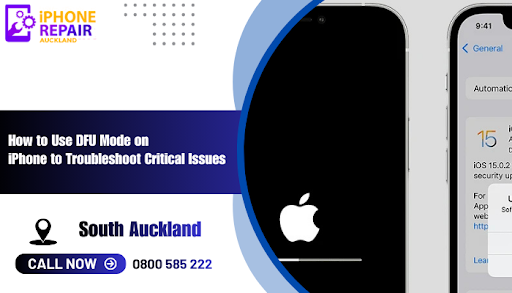
The DFU mode entry process on iPhone devices enables users to solve critical system problems. The standard troubleshooting methods fail to resolve major software problems and system crashes and persistent system errors. The Device Firmware Update (DFU) mode functions as a fundamental recovery solution which enables users to fix major software problems on their devices. Users who live in Auckland use DFU mode to fix their iPhone Auckland problems after basic solutions fail and this method is also used by professional iphone repair Auckland services.
The device enables users to create direct computer links through DFU mode which operates independently from operating system and bootloader authentication requirements. The operating system and bootloader layers become inaccessible during DFU mode operations which allows users to perform tasks that standard recovery methods cannot access. Users who understand DFU mode operations and its distinctions from other reset options and safe usage procedures will be able to solve their most difficult device-related issues. The iPhone recovery process at its peak requires users to enter DFU mode for troubleshooting but users need to handle this process with caution. Users who need help with iPhone recovery should contact an experienced iPhone repair shop
The device enters DFU mode to execute restoration tasks by directly communicating with restoration tools at its most fundamental level. The operating system remains inactive while the boot sequence remains dormant during DFU mode operations. The mode provides advanced capabilities to fix problems that result from firmware damage and update failures and complete system software failures.
The screen remains black from start to finish during the entire DFU mode process. The screen remains completely black during DFU mode operation because it differs from standard recovery mode which shows a connection screen. The device operates at full power but runs no system-level software when in DFU mode.
The standard troubleshooting process does not need users to activate DFU mode. The majority of common issues which include slow performance and app crashes and minor system glitches can be fixed through standard resets and basic restarts. The most severe problems which require professional iphone repair Auckland service intervention need DFU mode activation.
Users must enter DFU mode to perform particular operations within the system.
Users can resolve their device issues through firmware rewriting which occurs through DFU mode after software update failures or update process corruption.
The firmware restoration function in DFU mode lets users fix devices which get stuck in boot loops or fail to boot properly.
The process of device restoration through DFU mode becomes essential when system files become corrupted or software configurations fail or complex bugs occur.
Users can fix firmware problems on their devices through DFU mode which allows firmware restoration. The device stays inactive but it will accept power when you apply this method. The DFU mode lets users determine if their device problem stems from software or hardware problems.
Users must perform a backup of their files before using this function.
The Recovery mode interface lets users run basic system troubleshooting tasks and system update operations. The bootloader stays disabled when you connect to the device through DFU mode. The advanced capabilities of DFU mode exceed those of recovery mode because it operates at a more fundamental level.
Key differences:
The Recovery Mode interface lets users run basic troubleshooting steps.
The firmware restoration process through DFU Mode operates independently from system environment loading.
The screen remains black during DFU Mode operation but Recovery Mode displays either a connection screen or shows a logo.
The process of solving complex firmware problems requires users to use DFU mode because standard recovery mode methods prove insufficient.
The advanced repair techniques which iphone repair shops perform require DFU mode when all other methods have failed.
The process to enter DFU mode requires different button combinations for different iPhone models but follows a similar procedure for all devices.
A cable connects your device to a computer which needs installed software for the process. The system needs to be ready before you start.
Perform a normal device shutdown. The forced shutdown procedure for your device model should be used when the device becomes unresponsive.
Start by turning on your device through the power button while using the volume button or home button according to your device type. The buttons need users to press them for an extended time before they will work correctly.
Release only the power button. The computer will detect the device after you release the power button while keeping the other button pressed.
The black screen shows that DFU mode has successfully activated. The system becomes ready for firmware restoration after the computer detects the device.
Users who need to leave DFU mode or accidentally entered it should use their device model-specific button combination to perform a force restart. The device will shut down and restart normally after you press the buttons until it turns off. The system continues to function in its current state after you leave DFU mode.
Users must access DFU mode before they can start the firmware restoration process through their computer interface. The restoration process takes longer based on the size of the firmware file and the current state of the device.
The device needs to stay powered on while maintaining its connection to the computer.
Users need to perform instructions exactly as written while maintaining continuous operation of the process.
The progress bar needs to finish its entire cycle before you can proceed.
The device restarts after restoration before showing setup instructions to users. Users can restore their data from backups after the process.
Users must handle DFU mode with care because any incorrect action will generate new system problems. Users need to remember these essential points:
Users need to backup their entire data collection before starting this process.
The computer system needs to stay stable throughout the entire process.
The connection stays stable throughout the process because of a reliable cable.
Users should never stop a firmware installation when it is active.
Users who need to access DFU mode for complex operations must reach out to a professional technician for help. The residents of Auckland depend on fix iPhone Auckland experts and professional iphone repair shop technicians to execute safe and successful DFU mode repairs.
The most advanced troubleshooting tool available to iPhone users exists through DFU mode. The system enables users to perform deep-level system repairs through DFU mode after all other recovery methods have failed. The DFU mode enables users to revive their unresponsive devices through its ability to fix firmware corruption and boot loop issues and update failures.
Users need to handle DFU mode with maximum care because its strong operational power. Users who doubt their ability to fix complex problems should reach out to a trustworthy iphone repair Auckland professional for safe and effective device repair. The method functions as an essential repair method for fixing severely damaged devices because of its sophisticated features.
Call Us: 0800 585 222
Email: info@electronicsrepair.co.nz

Stay up to date with Latest blog articles


